![[LogoShip]](logo5.png)
Software for Windows
Science with your Sound Card!
Features:
Oscilloscope
Spectrum Analyzer
8-Channel
Signal Generator
Spectrogram
Pitch Tracker
Pitch-to-MIDI
DaqMusiq Generator
(Free Music... Forever!)
Engine Simulator
LCR Meter
Remote Operation
DC Measurements
True RMS Voltmeter
Sound Level Meter
Frequency Counter
Period
Event
Spectral Event
Temperature
Pressure
MHz Frequencies
Data Logger
Waveform Averager
Histogram
Post-Stimulus Time
Histogram (PSTH)
THD Meter
IMD Meter
Precision Phase Meter
Pulse Meter
Macro System
Multi-Trace Arrays
Trigger Controls
Auto-Calibration
Spectral Peak Track
Spectrum Limit Testing
Direct-to-Disk Recording
Accessibility
Data Logger
Waveform Averager
Histogram
Post-Stimulus Time
Histogram (PSTH)
THD Meter
IMD Meter
Precision Phase Meter
Pulse Meter
Macro System
Multi-Trace Arrays
Trigger Controls
Auto-Calibration
Spectral Peak Track
Spectrum Limit Testing
Direct-to-Disk Recording
Accessibility
Applications:
Frequency response
Distortion measurement
Speech and music
Microphone calibration
Loudspeaker test
Auditory phenomena
Musical instrument tuning
Animal sound
Evoked potentials
Rotating machinery
Automotive
Product test
Contact us about
your application!
Introduction and Features
(See Help Topics for how to use the Daqarta Help system.)
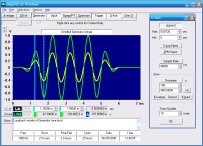
Daqarta is a general-purpose Data AcQuisition And Real-Time Analysis system. It allows waveforms, spectra, spectrograms, or tracked pitch to be viewed live, rather than after separate collection and analysis steps. The display area can be made extra-large to allow maximum visibility for fine detail or distant viewing, and both axes are completely marked with unit divisions in a 1, 2, 5 sequence. Logarithmic X- and/or Y-axis scales may be used for spectrum display... all in real-time.
Fast on any CPU. Works on Windows XP and all later Windows versions, on systems with screen resolution of 640x480 or better.
Uses standard Windows sound cards. Allows completely calibrated input and output ranges with built-in calibration system.
Real-time display of up to 2 input and 8 output channels.
Advanced signal Generator can produce a wide range of test or stimulus signals on up to 8 independent output channels during simultaneous synchronous Input data acquisition. (Generator features include standard and arbitrary waveforms as well as various noise sources, plus burst, sweep, and many modulation options.)
Synchronous waveform and/or spectrum averaging for noise reduction or smoothing.
Free-floating resizeable Frequency Counter, Voltmeter, and Sound Level Meter, plus lots of customizable mini-apps for measuring THD and IMD distortion, phase, LCR (inductance, capacitance, resistance) and more.
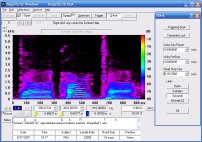
256-color Spectrogram frequency-time plots, full range control.
Pitch Track shows real-time pitch of input signal, and Pitch-to-MIDI allows live synthesizer performance. KaleidoSynth creates complex musical patterns based on controlled pitch feedback. DaqMusiq uses an internal source or the (muted) Generator to create complete musical performances under control of MIDI Changes scripts.
Juxt multi-trace memory arrays.
Complete scripted Macro automation system can operate most Daqarta controls, and can be used to create customized reports and data logs. Macros can be issued by Remote Control from your own custom program.
Macro Array operations, together with Multitasking, Custom Controls, and Custom Meters allow creation of dedicated applications with customized displays. Macro Examples and Mini-Apps are included to use as-is, or to get you started creating your own.
Full pre- and post-trigger delay control.
Dual continuous-readout trace cursors.
Data may be saved to disk files for later review and analysis, including direct-to-disk (DDisk) recording of long files. Daqarta writes and reads standard .WAV files as well as Daqarta's own .DQA extended .WAV format that includes important parameters and calibration information.
Extensive context-sensitive Help system, with tutorials and application examples.
The latest version of Daqarta will always be available on the Daqarta Website (www.daqarta.com). If you wish to be notified of new releases, you can request that through the Contact page page on the site.
If you have any problems with Daqarta, please report them on the Contact page. All other feedback and questions are also welcome, and will help shape future versions of this software. Your questions will be answered promptly, usually within 24 hours.
See also Generator Introduction and Features

- Back to Contents - Getting Started
- Ahead to Purchasing Daqarta - Not Required
- Daqarta Help Contents
- Daqarta Help Index
- Daqarta Downloads
- Daqarta Home Page
- Donate to Daqarta
Questions? Comments? Contact us!
We respond to ALL inquiries, typically within 24 hrs.INTERSTELLAR RESEARCH:
Over 45 Years of Innovative Instrumentation
© Copyright 2007 - 2026 by Interstellar Research
All rights reserved